
Do your customers often complain about missing payments due to forgetfulness? If yes, then you can suggest Bill Pay to them. The platform offers customers the option to schedule payments by entering the details only once. Similarly, you can also use Bill Pay to manage recurring payments to vendors or suppliers. It ensures less paperwork, more security and streamlines cash flow.
The blog discusses everything about BillPay. It may help new and existing business owners manage payments well.
Bill Pay is a financial service that helps a business owner automate their payments through a centralised platform. Instead of writing checks or scheduling bank-related transfers, you can schedule payments to pay vendors or suppliers on time.
The primary aim of Bill Pay is to streamline, make payment management easier, and maintain accurate records. It integrates with your bank and accounting systems and helps you:
In some cases, Bill Pay is used to describe small business loans in the UK tailored to spreading large essential business costs. It could be insurance, tax bills and scheduled expenses. One may get £10000, which is repayable up to 12 months.
Personal guarantees may be required, but collateral is not needed. One can repay the dues in fixed and monthly instalments. This Bill Pay loan product is more popular in Ireland than in the UK.
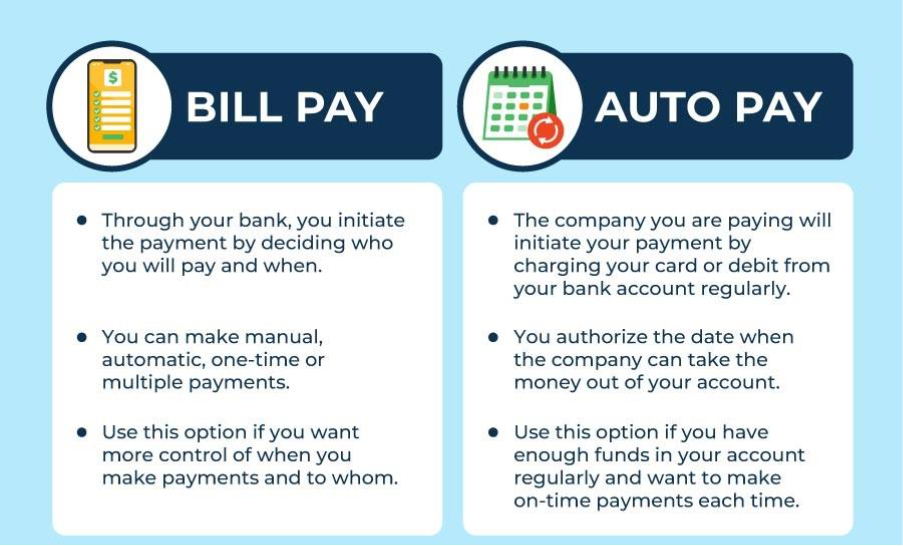
Online Bill Pay automates all of your bills so that you can access them from one place. Here is how the whole process works:
The Bill payment is ideal for:
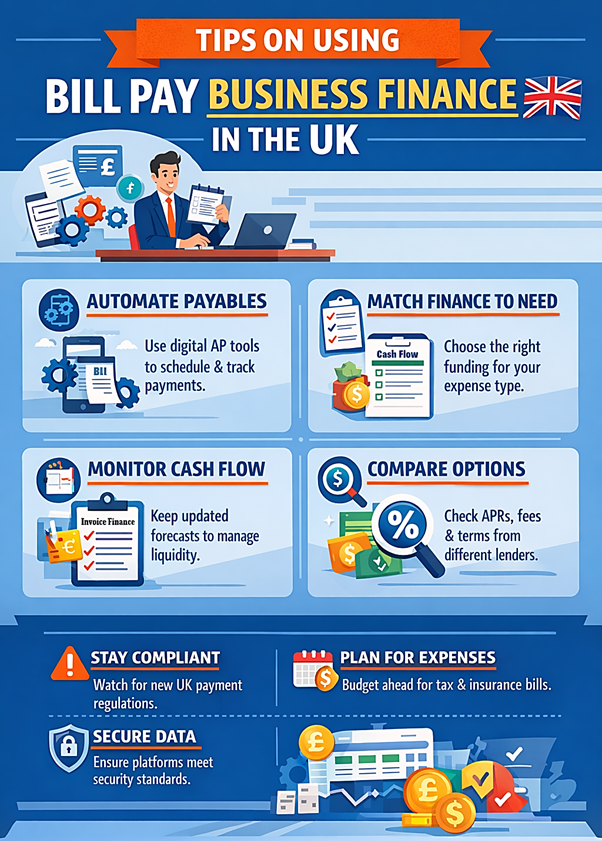
Pros and Cons of Bill Pay Service include:
| Pros of Bill Pay Service | Cons of Bill Pay Service |
| Improves cash flow visibility and predictability | Digital bill payments may incur subscription fees and payments. |
| Streamlines payable and reduces manual errors | Short-term financing options like Bill Pay involve interest and other loan costs. |
| Reducing the time spent chasing client payments. | Over-reliance on external platforms may make your information vulnerable. |
| Supports planning around a large periodic expense | Only a few loan providers offer Bill Pay loans. |
The best Bill Payment systems share the best features that make bill management easy. Here are key features to look out for:
Over 55% of UK SMEs reported an increase in late payments. Many spend 21–30 hours per month chasing payments. Thus, automation reduces the chances of missing payments and paying later. Instead, it helps one schedule payments for a specific date.
Companies can send secure messages, which allow payers to pay now, pay later or pay part of the bill within the banking application.
Frauds are more prevalent with cheques than with online payments. Around 63% firms report cheque fraud in comparison to only 2% with real-time payments. Strong bill payment systems ensure multiple layers to protect funds and data. Additionally:
Reporting gives financial teams visibility into spending patterns and simplifies compliance. It helps you with:
Thus, these tools help you ensure transparency in cash flow. It instead helps make better financial decisions with real-time data.
To choose the right Bill Pay solution, focus on costs, supported payment methods, integration with security tools and customer support. Here are other aspects to consider:
Understanding your business and sales type is important to choosing the billing solution. Thus, consider the following:
Analyse what features you prioritise in a payment management software. Generally, it must be:
The cost may vary according to the features that you want. Thus, if you struggle to pay for one in a one-off payment, check unsecured loans for business owners. You may consider it to finance the cost and later pay the dues in instalments. It helps you split the burden into manageable payments.
Generally, good software must comply with PCI DSS for strong detection. It should meet the standard protocol.
Precisely, here is how to choose the right BillPay Solution:
FAQs
Online Bill Pay is a digital payment solution that helps customers pay their bills online by scheduling the payment. It allows customers to pay directly from their bank accounts by integrating it with the software.
The cost of Bill Pay may vary according to the bill payment solution that you choose. Yes, the Bill Pay includes various bill payment software. You can check Airwallex and Counto BillPay as they are free solutions. Alternatively, the subscription fees may range from £45 to £89 per month. You can also check which banks offer free Bill Pay services with their checking accounts.
Transitioning to online bill payments may come with some challenges. Here they are:
Here are some practices to consider:

Jennifer Powell embraced finance writing just the moment she started working as a finance executive with EasyCheapLoan, which is a direct lender in the industry. Jennifer has an exceptionally keen eye for details and used her skills to pen down numerous blogs and articles on finance. When asked, she simply replies with a look on her face that shows how genuinely she cares for people struggling with financial problems. Jennifer works dedicatedly as a finance professional and considers sharing both her experiences and knowledge to increase the financial literacy of people and businesses.